
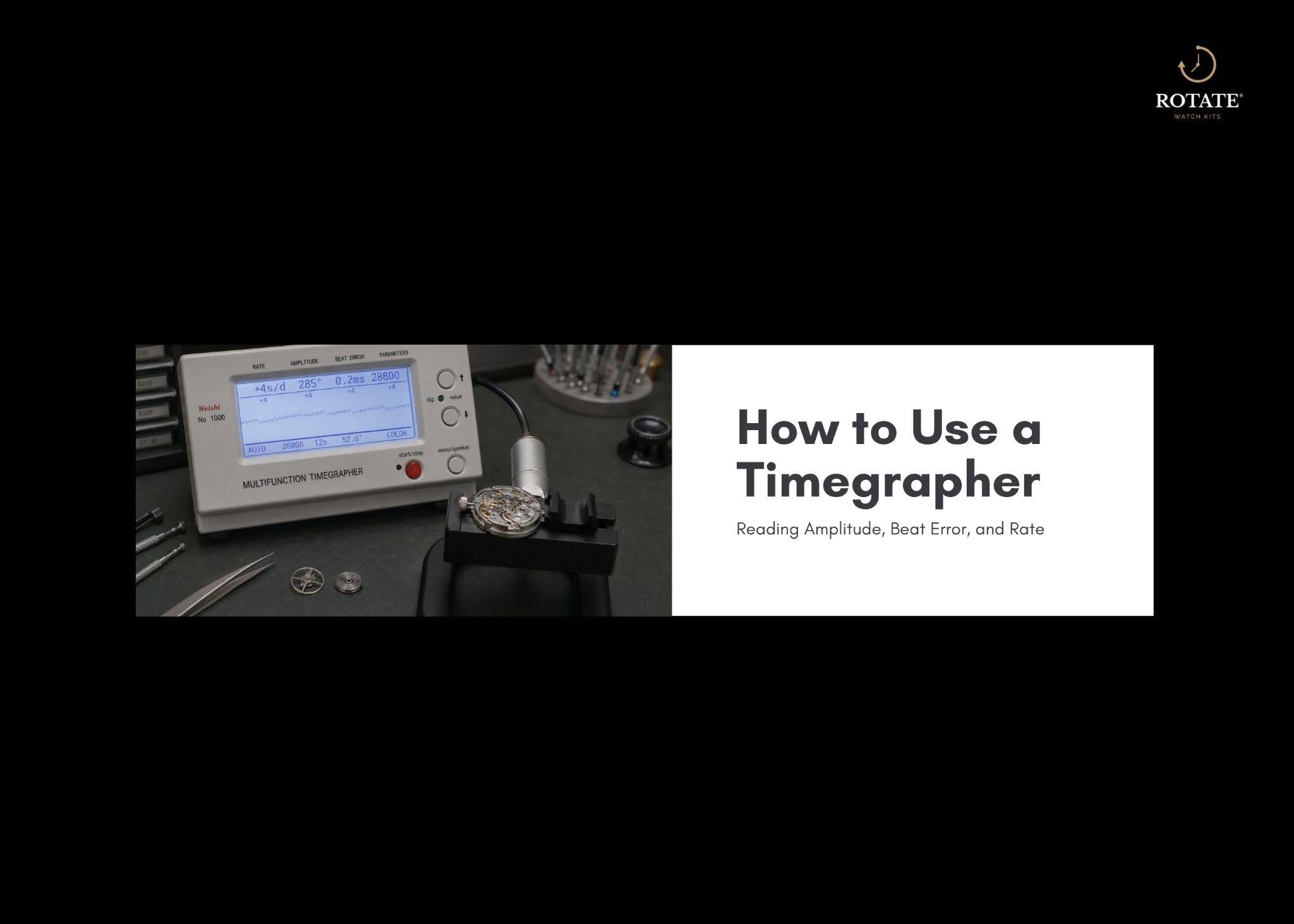
How to Use a Timegrapher: Reading Amplitude, Beat Error, and Rate
A timegrapher tells you exactly how your mechanical watch is performing without waiting 24 hours to check the time. Place a watch on the sensor, and within seconds you get hard numbers on accuracy, movement health, and balance wheel consistency.
Whether you just assembled a mechanical watch kit or picked up a vintage piece at a flea market, knowing how to read a timegrapher turns vague impressions into concrete data. Here is everything you need to get started.
How Do You Set Up a Timegrapher?
Match three settings to your movement before testing: lift angle, beat rate, and microphone sensitivity. Incorrect settings produce misleading numbers, especially for amplitude.
Our team tests every movement before shipping kits, and proper setup makes the difference between useful data and noise. Taking 30 seconds to verify each setting saves confusion later.
Enter the Correct Lift Angle
The lift angle varies by movement caliber. Common values include 50 degrees for ETA 2824 and Sellita SW200, 49 degrees for Miyota 82-series movements, and 53 degrees for Seiko NH35/NH36. Entering the wrong lift angle produces inaccurate amplitude readings, so double-check the spec for your specific caliber before testing.
Buy Miyota 8215 - Movement Kit
Let the Beat Rate Auto-Detect
Most timegraphers default to automatic beat rate detection. Leave the setting on "auto" unless the machine is struggling to pick up the correct frequency. Common beat rates are 21,600 vph (6 beats per second) and 28,800 vph (8 beats per second).
Wind the Watch Fully First
A timegrapher reads a snapshot of current performance. Testing a half-wound watch gives misleading results because amplitude drops as power reserve decreases. Wind the watch fully before placing it on the microphone.
Check for Magnetism First
A magnetized watch often shows an extremely fast rate, sometimes hundreds of seconds per day. Run a demagnetizer over the watch before testing if readings seem unusually high. Magnetism is the most common cause of sudden inaccuracy in mechanical watches.
What Do the Four Numbers Mean?
Four numbers appear on screen once the timegrapher picks up your watch's ticking. Let the readings stabilize for 30 to 60 seconds before recording results. Rate, amplitude, beat error, and beat rate work together to reveal movement condition.
Rate (Seconds Per Day)
Rate measures how many seconds your watch gains or loses per day. A reading of +5 s/d means the watch runs five seconds fast every 24 hours. A reading of -3 s/d means it loses three seconds daily.
Good targets depend on the movement. COSC-certified calibers should fall between -4 and +6 s/d. Standard movements typically perform well within ±10 to ±20 s/d. Getting the rate close to zero is ideal, but a slight positive bias is generally preferred.
Amplitude (Degrees)
Amplitude measures how far the balance wheel swings in each direction. A healthy, fully wound movement should read between 270 and 315 degrees. Amplitude is one of the best indicators of movement health.
- Above 320 to 330 degrees: Worth monitoring. As amplitude approaches 360 degrees, the impulse pin can collide with the pallet fork, causing "knocking" or "banking" and erratic timekeeping.
- 270 to 315 degrees: Healthy range for most movements at full wind.
- Below 250 degrees: Possible lubrication issues, worn components, or a weak mainspring. Service may be needed.
Amplitude naturally drops as power reserve decreases. A movement reading 290 degrees at full wind and 240 degrees after 30 hours is behaving normally.
Beat Error (Milliseconds)
Beat error measures the timing difference between the "tick" and the "tock." In a perfect movement, both halves of the balance swing take exactly the same time. Real movements have some asymmetry.
- 0.0 to 0.3 ms: Excellent
- 0.3 to 0.5 ms: Very good
- 0.5 to 1.0 ms: Acceptable for most watches
- Above 1.0 ms: May need adjustment
High beat error creates an audible unevenness, like "tick...tock-tick...tock" instead of a steady "tick-tock-tick-tock." Unlike rate, beat error cannot be fixed by moving the regulator. Correcting it requires adjusting the mobile stud carrier, which shifts the balance wheel's resting position.
Beat Rate (Beats Per Hour)
The fourth number confirms the movement's frequency in beats per hour. The timegrapher uses this to calculate all other readings. If the detected beat rate seems wrong, the other readings will be inaccurate too.
How Do You Read the Trace Lines?
The trace is a visual confirmation of movement health. Most machines display dots scrolling left to right, with each dot representing one beat. Patterns in the trace often reveal problems before the numbers become alarming.
What a Good Trace Looks Like
A healthy movement produces a straight or nearly straight line of dots. The line should appear consistent, without scattered points or sudden jumps. A slight upward slope means the watch is running fast, and a downward slope means slow.
Two Lines Mean Beat Error
When beat error is present, the trace splits into two parallel dotted lines instead of one. The greater the distance between the two lines, the higher the beat error. A single clean line indicates near-zero beat error.
Scattered Dots Signal Problems
Scattered or widely varying dots suggest noise interference, a dirty movement, or mechanical issues. Test in a quiet room, since timegraphers are sensitive to ambient sound.
Why Test in Multiple Positions?
Gravity affects how a mechanical watch performs, and testing in multiple positions reveals consistency during real-world wear. Builders who assemble automatic watch movement kits quickly notice rate differences across orientations.
For a standard watch with the crown at 3 o'clock, the six positions are: dial up, dial down, crown up (3 o'clock up), crown down (9 o'clock up), crown left (12 o'clock up), and crown right (6 o'clock up). Dial up is typically the most stable.
Record the rate and amplitude in each position. The difference between the fastest and slowest positions is called positional variance. A well-regulated movement keeps this variance under 10 to 15 seconds.
Applying Timegrapher Results to Your Builds
Assembling a movement kit and then testing it on a timegrapher closes the feedback loop. Builders using our kits commonly see amplitude between 270 and 290 degrees at full wind when assembly is done correctly.
If rate needs correction, locate the regulator lever on the balance cock. Nudge it gently with tweezers toward the "+" side to speed the watch up, or toward "-" to slow it down. Move in tiny increments and recheck after each adjustment.
Timegrapher readings represent static testing in a single position. Real-world accuracy on the wrist often differs because wearing involves constant position changes. Use timegrapher data as a starting point, then track wrist performance over several days for the complete picture.
For Miyota movements, set the lift angle to 49 degrees. For Seiko NH-series movements, use 53 degrees.
Buy watchmaking kits
Conclusion
A timegrapher removes guesswork from mechanical watch assessment. Rate tells you accuracy, amplitude tells you health, and beat error tells you balance. Tracking these numbers over time also reveals whether a movement is aging well or heading toward a service interval.
Start building, start measuring, and start improving. Browse DIY watch kits to get hands-on experience with the movements behind the numbers.
FAQs
Q1. Do you need a physical timegrapher or can you use an app?
Smartphone apps can measure rate and beat error using the phone's microphone, and work as a free starting point for beginners. Physical timegraphers provide more reliable amplitude readings and consistent results across sessions. Entry-level models like the Weishi 1000 cost around $100 to $200, while professional-grade machines range from $300 to over $1,000.
Q2. Can a timegrapher tell you if a watch needs servicing?
A timegrapher indicates potential issues through low amplitude, high beat error, or erratic trace lines. However, the tool provides a snapshot, not a full diagnosis. Consistent low amplitude across positions suggests worn lubricants or components.
Q3. What amplitude reading means a watch needs service?
Amplitude consistently below 250 degrees at full wind in the dial-up position suggests the movement may need cleaning and lubrication. Single low readings in vertical positions are more common and less concerning.
Q4. Does room temperature affect timegrapher readings?
Yes, extreme temperatures can affect movement performance. Test in a comfortable room temperature between 18 and 25 degrees Celsius for the most representative results. Seiko rates its 4R-series movements for accuracy between 5 and 35 degrees Celsius.
Q5. How often should you test a watch on a timegrapher?
After assembly or regulation, test immediately to confirm results. For daily wear watches, an annual check catches gradual changes in performance before they become noticeable on the wrist.
Q6. Why does my watch show different rates in different positions?
Gravity pulls on the balance wheel differently depending on orientation. Horizontal positions (dial up and dial down) are typically the most stable. Vertical positions introduce more gravitational influence, causing rate variations. Some variance is normal in all mechanical movements.